Finding recommended articles

Once you have searched and read a few articles, DeepDyve can recommend other similar articles you might like to read.

When you're reading an article, click the "Recommended" tab above the reader to see articles similar to the one you are reading:
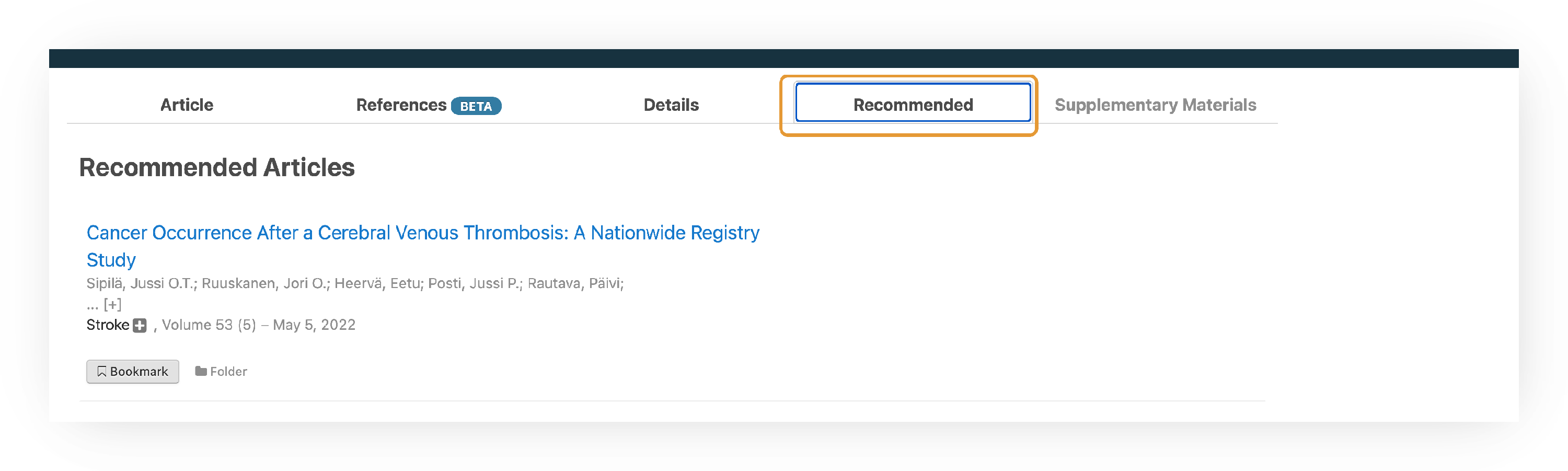
Screenshot of the tabs above a DeepDyve article in the enhanced reader — Article, References BETA, Details, Recommended (highlighted), and Supplementary Materials — with the Recommended tab open. Below, the 'Recommended Articles' list shows a recommendation (example: 'Cancer Occurrence After a Cerebral Venous Thrombosis: A Nationwide Registry Study') with its authors, journal, volume, and date, plus 'Bookmark' and 'Folder' buttons for saving it.

Each recommendation shows the article's title, authors, journal, and date. Click a title to open the article for reading, or use the "Bookmark" and "Folder" buttons to save it to review later.

Still need help? Contact Us Contact Us